

Hey there! Welcome to my Leadpages review.
Leadpages was the first landing page builder I ever used.
And I absolutely loved it!
But, eventually, the love started to fade, as I started wanting more from my landing pages.
So like a drowning rat, I jumped ship!
But that was a full seven years ago.
Roll on to today, and I'm being told that Leadpages has come a very long way…
…a lot more power and a much smoother building experience…is what I've been told to expect!
And that's why I decided to write up this Leadpages review, to see for myself, just how far they've come.
Let's find out!..
Leadpages – Key Info
| 📣 About | An affordable builder for solopreneurs and small businesses. |
| 💲 Price | Starts at $37 per month if paid annually. |
| ✅ Pros | Very easy to learn and extremely easy to use. |
| ❌ Cons | Limited design customisation. |
| 🏁 Conclusion | A very decent landing page builder at a great price. |
Do I Recommend Leadpages?
Yes, I do recommend Leadpages, but I don't think it's for everyone.
Personally, I believe that Leadpages is best suited to online solopreneurs, and small businesses.
Overall, during my Leadpages review, I have been very impressed…
…but not with everything!
If you're the sort of person who has a crystal-clear vision of how you want your landing pages to look, down to the last pixel…
…I'm not sure Leadpages will be a great fit for you, because its templates are not quite as customisable as some of their more expensive competitors.
But, and this is super important, some of the Leadpages standard templates…
…convert like crazy, right out of the box!
And having been an online marketer for a few years, I care about conversions much more than a pixel-perfect look and feel.
Anyway, we're getting close to digging into detail here.
Let's move on to the full review.
Leadpages Pros and Cons
Here's a brief roundup of what I liked, and didn't like about Leadpages:
Leadpages Pros:
- Easy to learn and to use.
- Landing pages can be built quickly.
- Affordable.
- Standard templates convert like crazy.
- Templates can be filtered by user conversion rates.
- Unlimited traffic and leads.
- Over 40 standard integrations.
Leadpages Cons:
- Template customisation lacks fine detail.
- Limited A/B testing in Standard Plan
- No online sales and payments in Standard Plan…although 3rd-party payment tools can be integrated.
My Leadpages Review – What I Focused On
For me, there's a few real key areas to look at when considering a new landing page builder.
They may not be exactly the same as your criteria, but just so you know where I'm coming from…
…here are the questions I really set out to answer in my Leadpages review:
- How easy is Leadpages to learn how to use?
- Are the Leadpages pre-built templates good quality and usable?
- How stable/robust is the Leadpages Page Builder software?
- How conversion focused is Leadpages?
- How easy to set-up is the A/B testing function
- Does Leadpages integrate easily with third-party software?
- Given price and functionality, is Leadpages good value?
- Is the Leadpages customer service on-point?
- Leadpages Alternatives
So that's nine areas that I've really tried to pin down.
If you're super pushed for time, I've briefly summarised my thoughts on Leadpages further below.
But to get the whole picture, and find out the detail, you will need to read the full review.
Use-ability – How Easy Is Leadpages To Use?
Pretty damn easy.
I remember when I first started out, when Leadpages was the first page builder I'd ever used, that I was up and running real quick.
And that's not changed.
I signed-up, and I was churning out half-decent landing pages within the hour.
Of course, I do now have a lot of experience in building landing pages, but I also understand what makes some page builders easy to get going with…
…while others are just a complete nightmare!
Leadpages is easy to learn and easy to use.
Let's dig into this a little bit deeper…
How Many Hours Will You Spend Learning to Use Leadpages?
How quickly can someone totally new to building landing pages get to a decent level of competency with Leadpages?
Let's break this down into 3 key areas:
- Dashboard Layout and General Navigation
- Are the Leadpages Templates High Quality and Usable?
- Actually Creating Your First Page
a) Dashboard Layout and General Navigation
Pretty much what you would expect from a modern piece of hosted software.
Simple, easy-on-the-eye, fuss-free.
Each time you sign-in, you'll be greeted with a page looking like the one below:
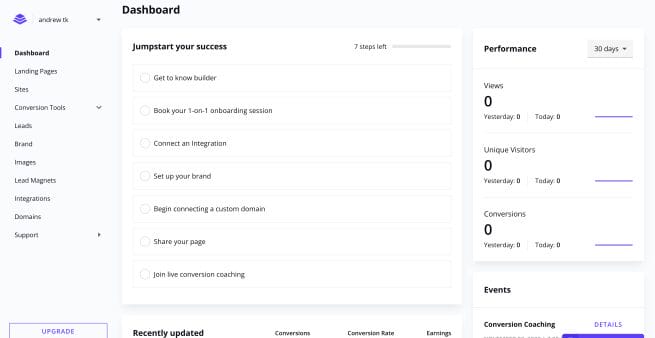
Don't spend too much time worrying about my terrible conversion rates…
…the above screenshot was taken as soon as I signed-up!
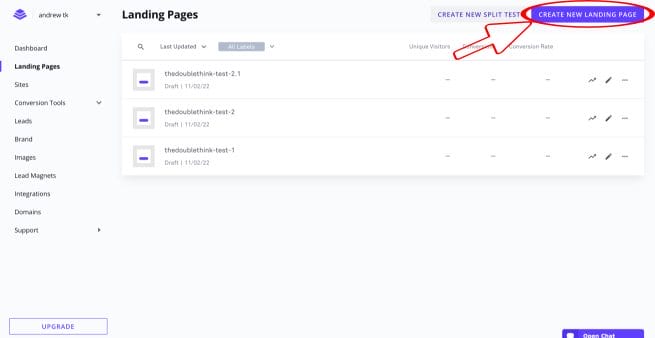
If you then select ‘Landing Pages' from the menu on the left hand side, you'll be taken to another simple, fuss-free page.
Here you can select to either edit an existing landing page of yours, or ‘Create New Landing Page' as outlined below:
Let's say you've opted to create a new landing page…
…you'll then be presented with Leadpages vast selection of pre-built templates.
Which will look something like this:
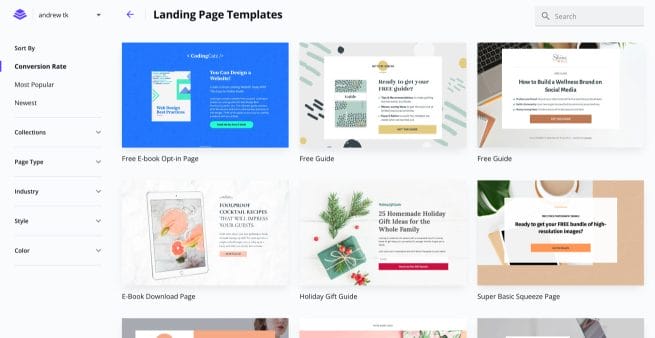
The menu down the left-hand side presents you with a number of different ways you can view the templates.
You can select to view them by industry, by popularity, conversion rates, newest, style, colour etc.
Also available at this stage is to select by ‘Page Type'. This is where you can choose to start with a totally blank page if that's what you want to do.
The ‘Page Type' option is also where you can select by your specific page goal.
For example, maybe you're building a webinar sign-up page, maybe it's to join an email newsletter, or to sign-up for an event…
…safe to say, there are a number of helpful ways you can select the best template to start building with.
b) Are the Leadpages Templates High Quality and Usable?
I'm going to guess that most people using Leadpages for the first time…
…are probably going to start by choosing to work form one of the pre-built templates.
Quick time-saving tip before you start building:
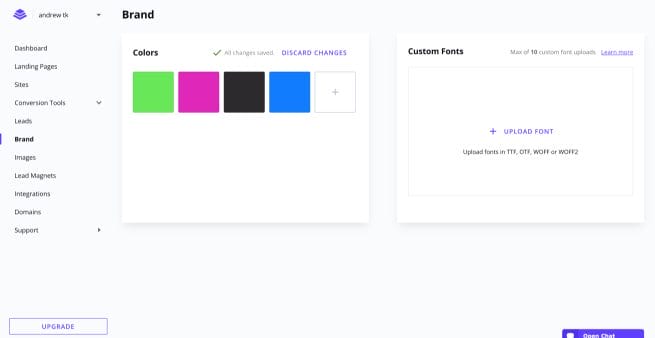
Head over to your dashboard and click on ‘Set-up Your Brand' from the central menu.
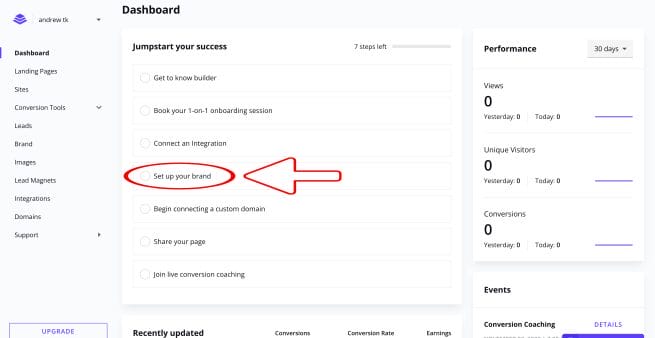
Which will take you to a page that look like the one below…
…where you can add your brand colours and fonts.
Well worth doing as it results in massive time saving once you start building pages.

Here's mine after I'd added my brand colours:
Okay now we're all set to actually start building our first page from a Leadpages template.
For the purposes of this Leadpages review, I decided to start with a ‘Product Giveaway' template.
I chose this page mainly because there are a lot of different elements on the page, and it is quite long…
…so it offered a lot of scope for testing.
This is the top of the template page once selected:

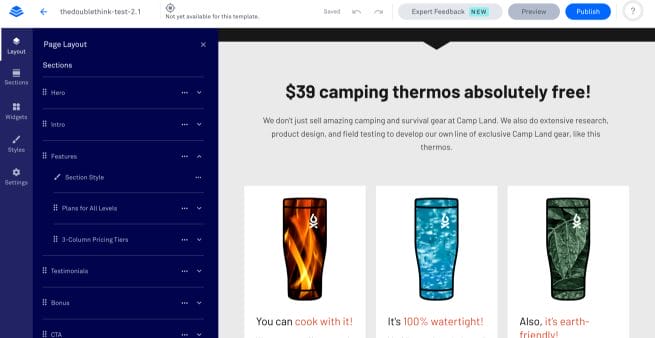
It's real easy to just move around the page, selecting whichever element you would like to change.
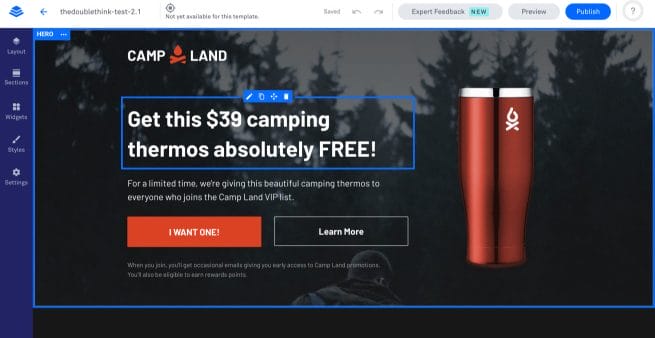
As soon as you click on an element, you are presented with the side-bar menu, which offers the choice of Layout, Sections, Widgets, Styles, Settings.
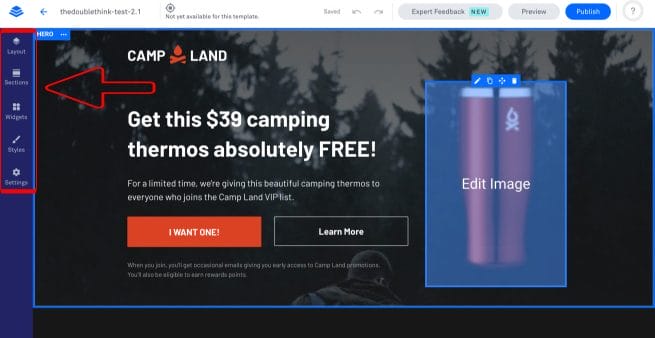
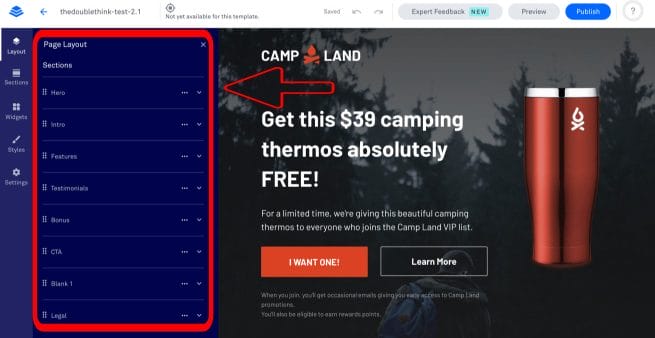
And if you click on one of these menu options, you'll get an expanded menu so that you further select what you want to do.
In the example below, I simple clicked on ‘Layout' and was given an expanded menu to select any section of the landing page…
…to either drill into, or simply re-order by dragging them to a different position within the menu itself.
Moving further down the template page, I clicked into the page layout option once again and tested out how easy it is to manipulate columns, image positioning, sizing etc.
As you can see from the following three images, it's a simple process of just clicking into whatever element you want to alter…
…which is followed by Leadpages opening a new menu that shows you everything you can do to the chosen section.
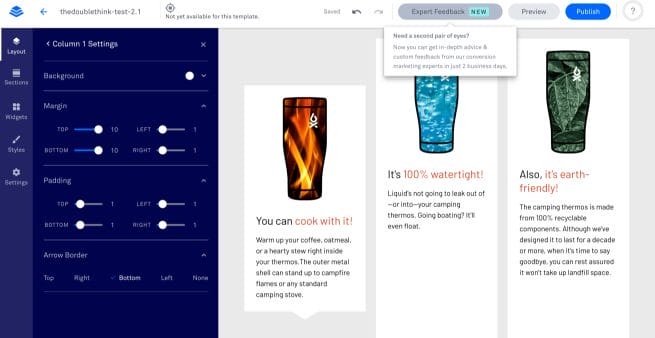

Simple yet comprehensive, easy to follow, and very effective.
So far, so good!
c) Actually Creating Your First Page
I set myself a target to see how much I could customise this Leadpages template in just thirty minutes.
I decided to create a landing page for my imaginary new company: ‘Donut Lord' (yeah I'd recently watched the Sonic The Hedgehog movie).
It's fair to say that I didn't think through the target market and business strategy of Donut Lord to any great degree…
…let's just say they make and sell donuts both online and in stores.
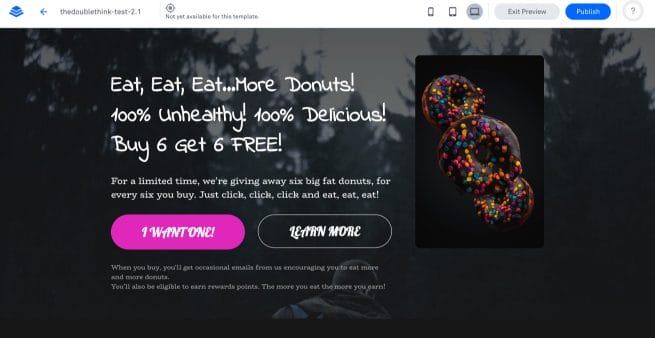


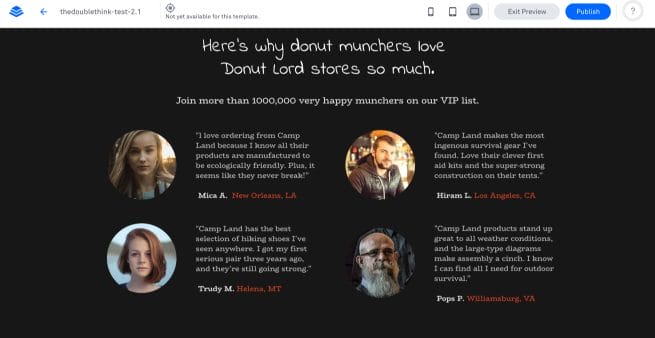

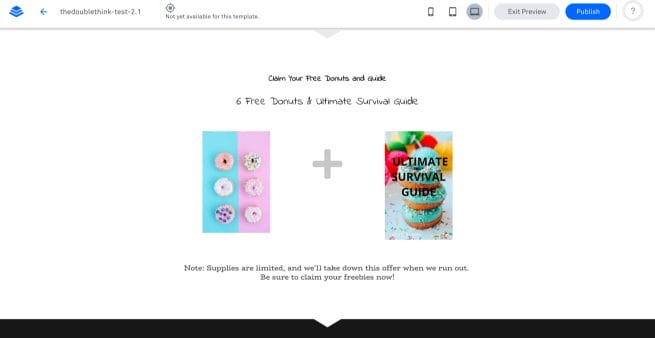
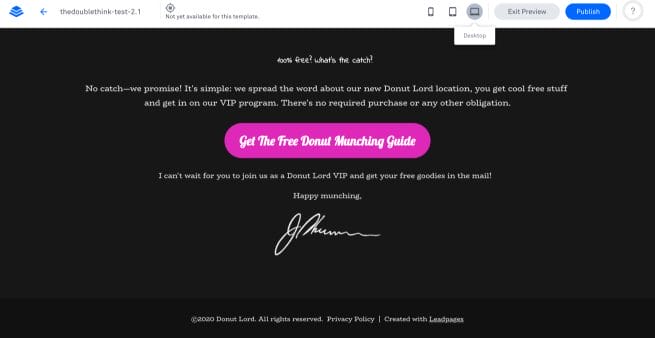
So what do you think?
Thirty minutes flat.
I've got images, I've got narrative, I've got happy donut munching customers, I've got an ‘Ultimate Survival Guide', I've got a Call-to-Action.
Come on…thirty minutes…that's pretty good!
Well, whatever you think, I was seriously impressed with just how easy this was to pull together.
How Stable/Robust is the Leadpages Page Builder Software?
Solid.
Definitely nothing like my experience with Leadpages way-back.
When I used to build pages with Leadpages, I remember I used to feel like I was only ever one click away from my work being lost.
This was not the case this time around as Leapages now autosaves every few seconds.
No more clunkiness, no more glitchiness., no more lost work.





Write Your Review
No reviews yet. Be the first to share your experience!