

Thinking about using lemlist for your LinkedIn outreach or cold emails? In this lemlist review, I’m breaking down what’s hot, what’s not, and whether it’s worth your time.
I’ll walk you through its automation, personalization, and integratioƒns – plus the stuff that might make you think twice.
Read on to find out if this tool is a match or a pass for your outreach strategies.
lemlist may started as an email software, back in the day, but it developed to a full blown sales engagement platform designed to help automate and personalize cold outreach through email, LinkedIn, and calls.
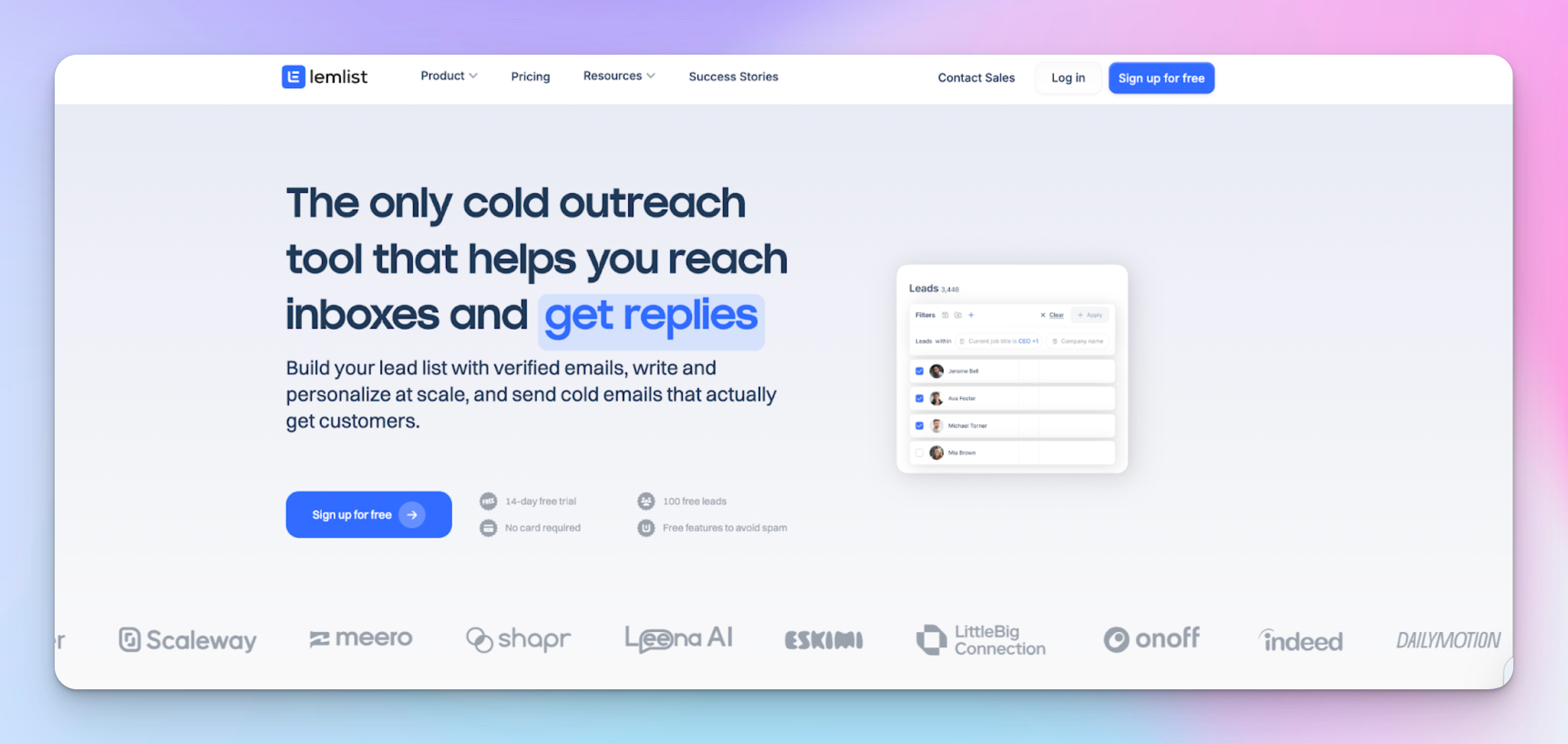
Their key features promise to help you optimize every stage of your lead generation funnel.
There's an email warm-up feature aka lemwarm for improving deliverability of email campaigns + a unified inbox to keep all your replies in one place.
The best part? Personalization.
You can send customized messages at scale with AI-generated sequences, dynamic variables, and even personalized images and videos.
Advanced conditions let you follow up based on how the recipient reacts, so you’re always reaching out at the right moment.
When creating a campaign, you can import your list from a CSV, CRM(lemlist integrates with Zapier, HubSpot, Pipedrive, SalesForce — just to name a few), LinkedIn or add it manually. And you put it all together in literally three steps.

The templates are great, too. They come with A/B versions (for testing your subject lines, content, and CTAs), which help test different approaches and figure out what improves response rates.
It also lets you create personalized templates based on your needs, with options for emails, schedules, snippets, images, and pages.
User reviews on G2 show that people also highly appreciate lemlist’s wide library of tutorials, use cases, and guides in general — it’s especially beneficial for beginners.

Pros:
Cons:
If you're in sales or marketing, lemlist can be a huge help – all thanks to 450 million verified contacts, smart enrichment tools, and key personalization features. I mean they even beat Apollo with 270M+ contacts.
Top it off with email warm-up, email finder, inbox rotation, and behavior-based follow-ups to keep your campaigns on point.
User friendly interface would be a cherry on the top, but some users say it gets chunky as you move along to the more advanced features.
Here’s the breakdown of the features that make it worth exploring. 👇
lemlist makes multichannel outreach simple by allowing you to create sequences that span across multiple platforms.
By integrating these touchpoints, you can connect with leads in the ways they prefer.
You can also set up sequences that range from slower-paced campaigns over a month to faster follow-ups within two weeks.
Here’s what I recommend for multichannel outreach with lemlist:
lemlist makes tracking multichannel outreach results cool and super easy.
Emojis help visualize visits, invites sent, open rates, click-through rates, and reply rates.
Everything is neatly separated by each channel:

However, when I dug a bit deeper into the reports in lemlist, I realized I couldn't see anything about engagements. It’s missing those LinkedIn-specific features I was interested in.
For example, with lemlist, you only get metrics for visits, invites, and messages, whereas HeyReach also tracks post likes and InMail messages. That’s why I’d give HeyReach the edge here.

Another cool thing is lemlist’s ability to set advanced conditions for each channel.
That means you can create personalized outreach campaigns based on your leads' actions and info.
To add conditions, just switch from “steps” to “conditions” in the campaign builder.
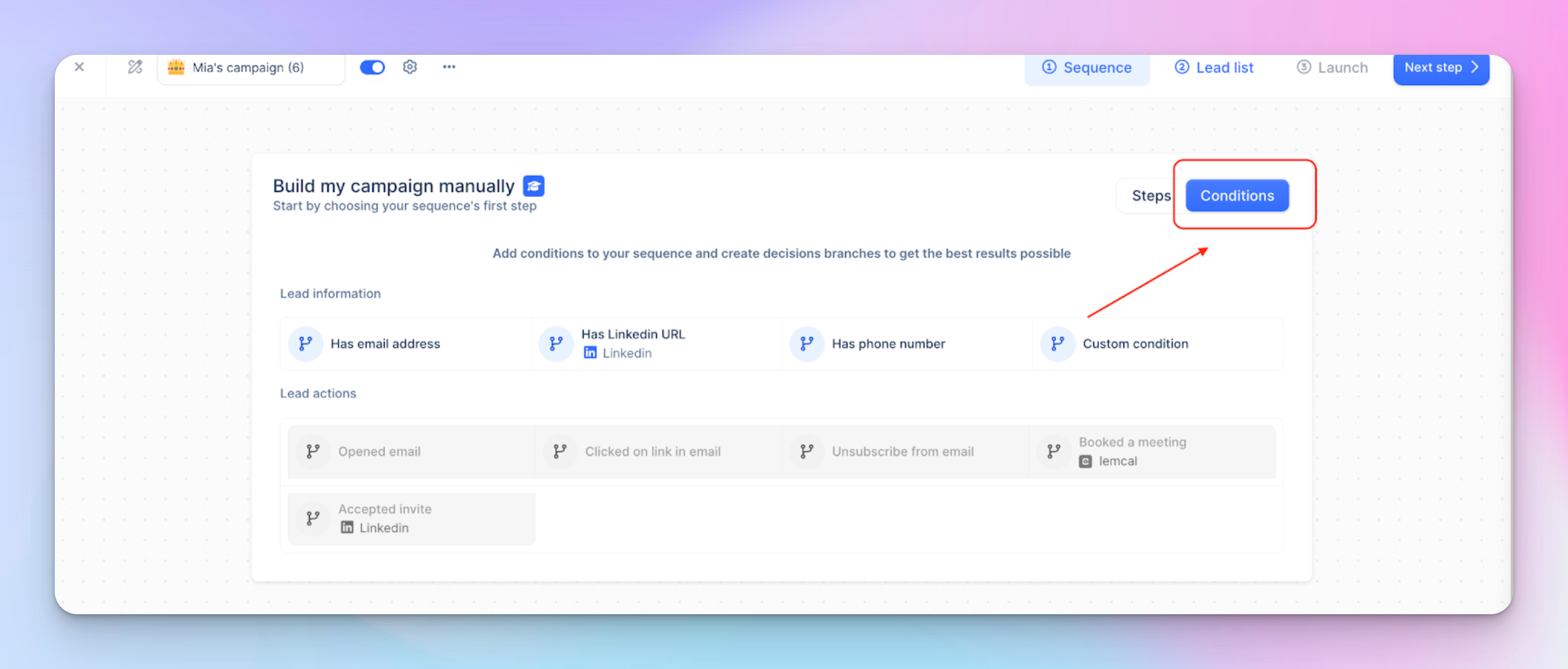
For example, you can set triggers that react to things like whether a lead opens an email or accepts a LinkedIn invite.
This lets you customize follow-up steps, making your outreach more timely and relevant.

The warm-up feature is another huge plus, especially when it comes to email deliverability. lemlist slowly warms up your email accounts by sending low-volume emails and ramping up gradually, mimicking natural activity.

By setting up your email correctly, monitoring your deliverability score, and placing you in a network of real senders, lemwarm improves open rates, reduces bounces, and prevents blacklisting.
Using lemwarm before, during, and after sending campaigns keeps your deliverability high. The initial warm-up takes 3-4 weeks, but for long-term results, it’s best to keep it running. This way, your emails consistently land where they should.
With access to a massive database of over 450 million contacts and 63 million companies, you can quickly find and filter potential buyers that match your ICP.
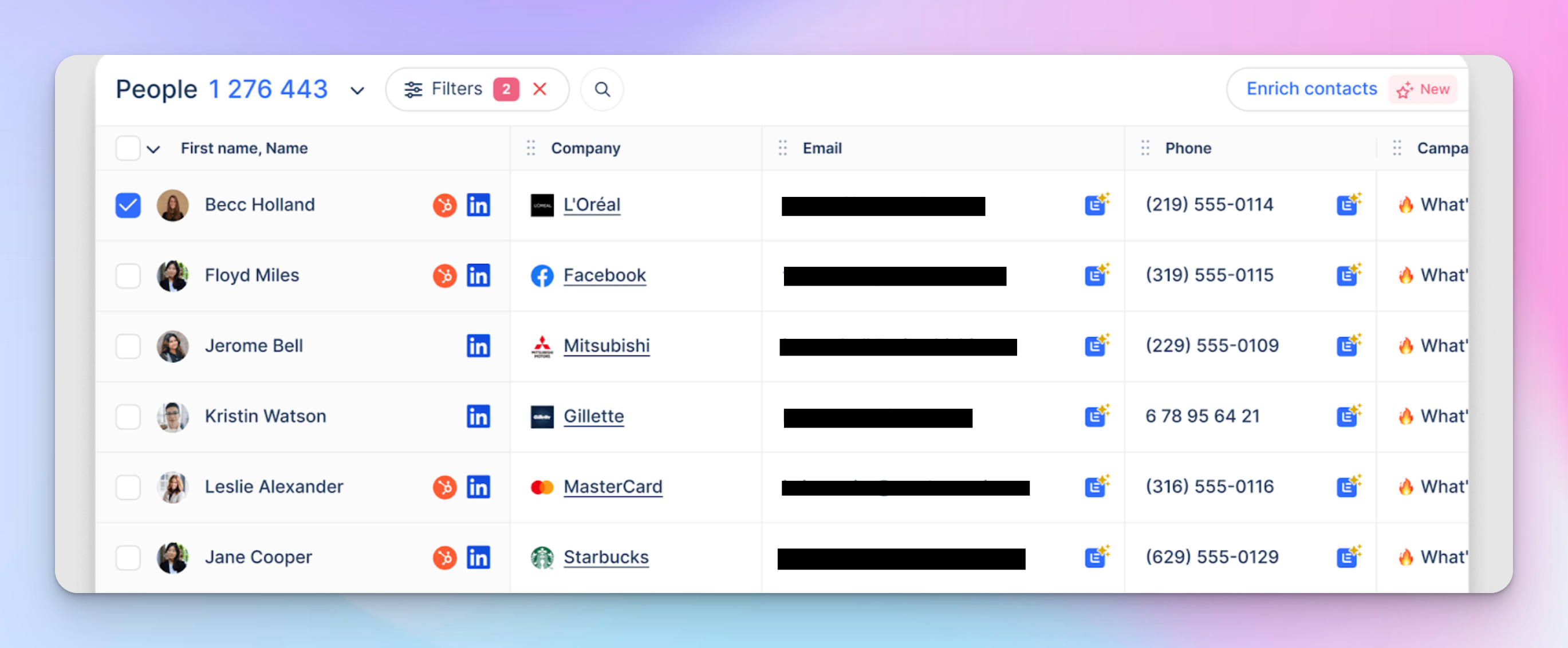
lemlist lets you refine your search with filters like company revenue, tech stack, and funding so you can target the right people with the most relevant messages.
Once you've found the right prospects, you can enrich their profiles with a single click, pulling verified contact details like emails and phone numbers from top providers.
Use advanced filters to track signals such as company growth or hiring trends. From there, you can launch multichannel campaigns via email, LinkedIn, and cold calling.
Instead of being a robotic spammer or wasting hours doing it manually, lemlist helps you automate smart, targeted cold email outreach with a few slick features:
Just “ask AI” to:
Honestly, I mostly liked the AI sequence help. AI asked for my target audience, value proposition, and preferred tone. That’s it.
Within seconds, it generated a full multichannel sequence – emails, LinkedIn touches, and follow-ups.
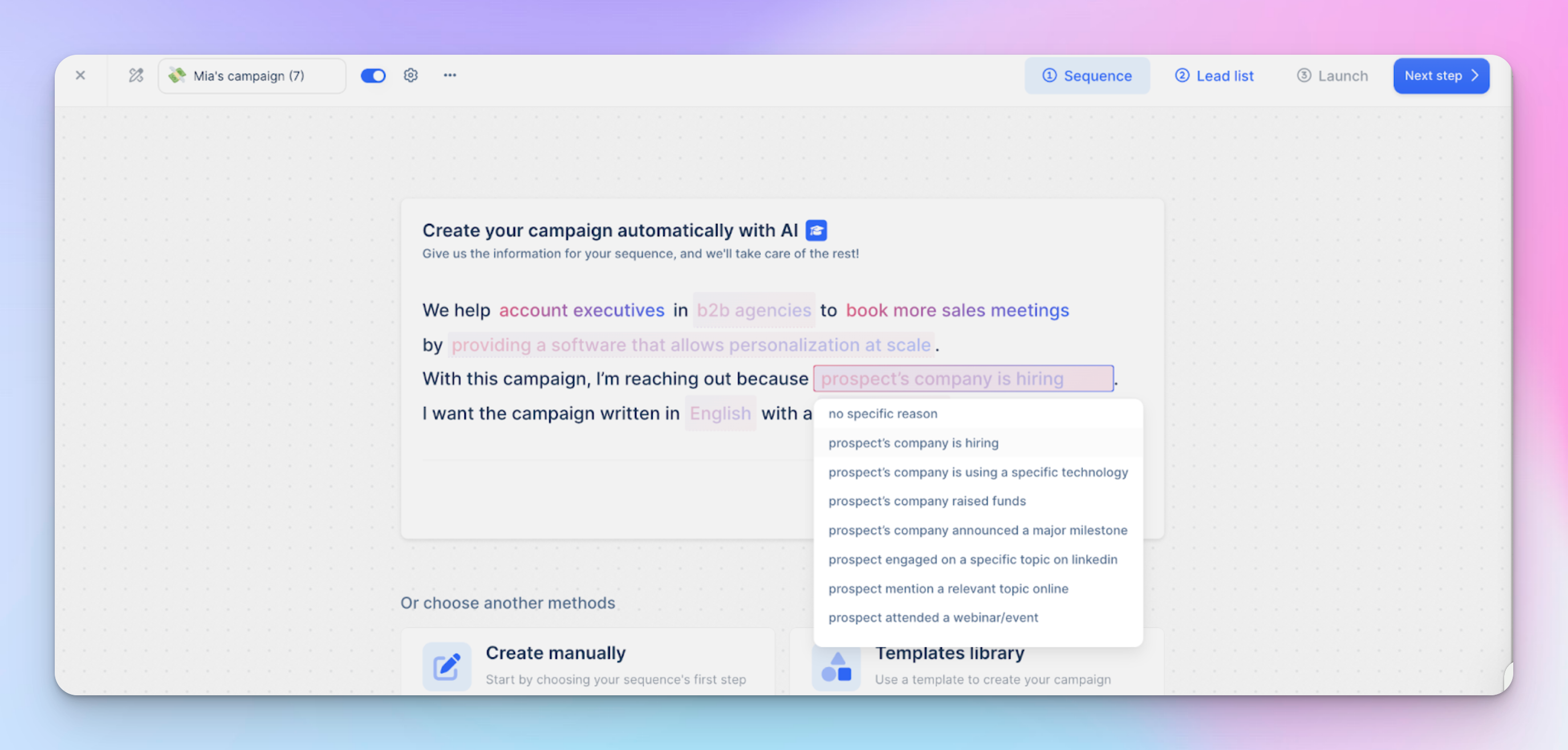
The messaging was concise, personalized, and structured based on top-performing outreach patterns. I tweaked a few lines, but overall, AI nailed it.
lemlist now lets you choose between different AI models, including Claude, GPT, and Perplexity. AI variables can be generated using lemlist credits, eliminating the need for external API keys.
lemlist’s unified Inbox keeps multichannel outreach super organized.
No matter where a lead replies – different email accounts, LinkedIn, or other channels – it all shows up in a single thread.
Also, finding past conversations is easy. If you need to reference a specific interaction before replying, the search function pulls it up instantly.

You can reply directly from the right email account or channel without switching tools. That’s a huge time-saver.
If you’re working with a team, you can track who’s already engaged with a lead, assign tasks, and keep outreach aligned without stepping on each other’s toes.
You can also send messages on behalf of someone else if they have an assigned seat on your team and their email or LinkedIn account is connected.
Manage leads easily with filters, tags, and statuses like “Interested,” “Unsubscribed,” or “Not interested.”
The whole inbox dashboard helps you stay organized by tagging contacts based on their lifecycle stage (e.g., new lead, customer) to prioritize responses.
It lets you track email opens, link clicks, and replies.
You can connect up to 15 email accounts, depending on your lemlist plan.
lemlist’s reporting hub is an all-in-one dashboard for tracking and optimizing campaign performance. You can build custom report tabs to save and revisit your favorite data views without starting over.
Here are some widget highlights:

Additionally, you can fine-tune your reports with advanced filters – select a specific date range, campaigns, tags, or users to zero in on the exact data you need.
When you’re ready to share your insights, choose between private links for your team or public links for broader distribution.
For extra organization, you can use heading and text zones to separate and annotate different sections of your report. And if a widget shows no data, an empty state will let you know that there’s nothing to display yet.
What I especially love about lemlist is its ability to “test and asses”. A/B testing lets you compare two versions of your outreach sequence by splitting your campaign into Version A and Version B.

You simply duplicate your initial sequence and tweak elements like the subject line or the order of emails versus LinkedIn messages in one of the copies.
Then, run both versions at the same time and track metrics such as open and reply rates. The variant that performs best becomes your go-to template for future outreach, helping you continuously refine your campaign based on real data.
lemlist offers a free plan, allowing you to find, verify, and export up to 100 email leads or 25 phone numbers per month at no cost.
However, a free package is very basic, lacking many advanced features available in one of the following three packages.
* the lemlist free trial of 14 days is available for Email Pro and Multichannel Expert packages.
💡 Note: lemlist only includes LinkedIn sequences in its Multichannel expert and Enterprise plans, and as we can see, it’s pretty pricey – not really a fit for smaller agencies, SMBSs and startups on a budget.
HeyReach, on the other hand, is more affordable and way easier to set up. No demos, no discounts — just pick an agency plan, connect 50+ accounts, and you’re good to go.
G2 reviews highlight solid features, automation, and easy multi-channel outreach, including LinkedIn and email integration.
On the other hand, some users think it’s pricey, and others run into bugs and technical issues that disrupt their workflow. Power users say the platform gets less intuitive as they dive into more advanced features.
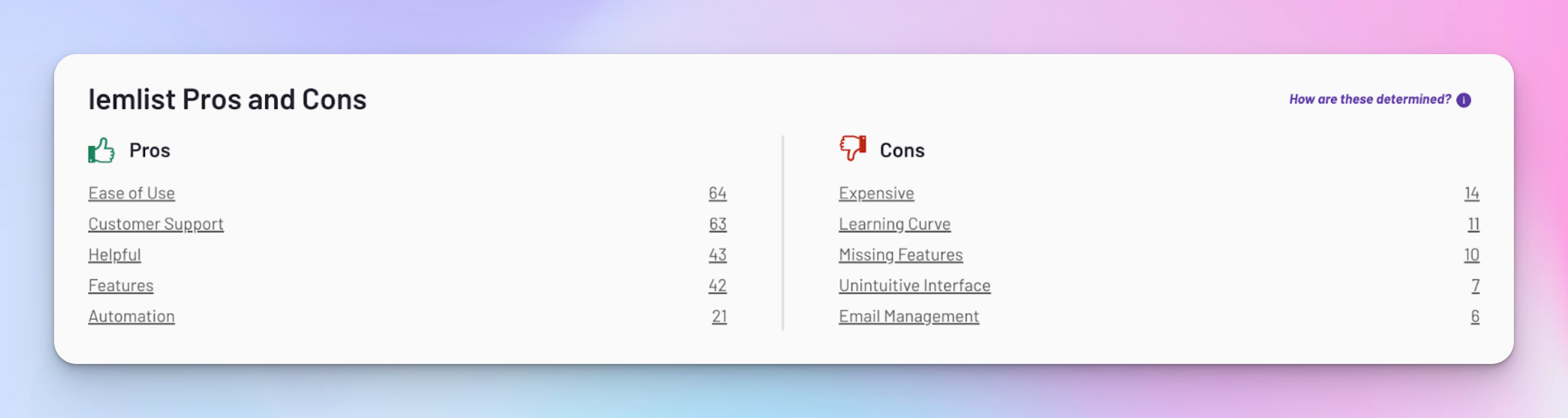
Despite these downsides, the overall rating for lemlist stays high at 4.5/5. Users still find it pretty valuable for scaling their outreach efforts.
If you think you might need features that lemlist doesn’t offer—like deeper LinkedIn engagement tracking or more advanced LinkedIn automation for agencies—here are some alternatives that match or even exceed lemlist’s capabilities. 👇
HeyReach makes it easy to automate multiple LinkedIn accounts at once, reaching over 1,000 prospects per week. It helps lead gen agencies and sales teams looking for flawless collaboration and serious scalability.
Users see an average revenue growth of 4.2x, thanks to a unified inbox, CRM integrations, and agency-focused analytics and reporting.
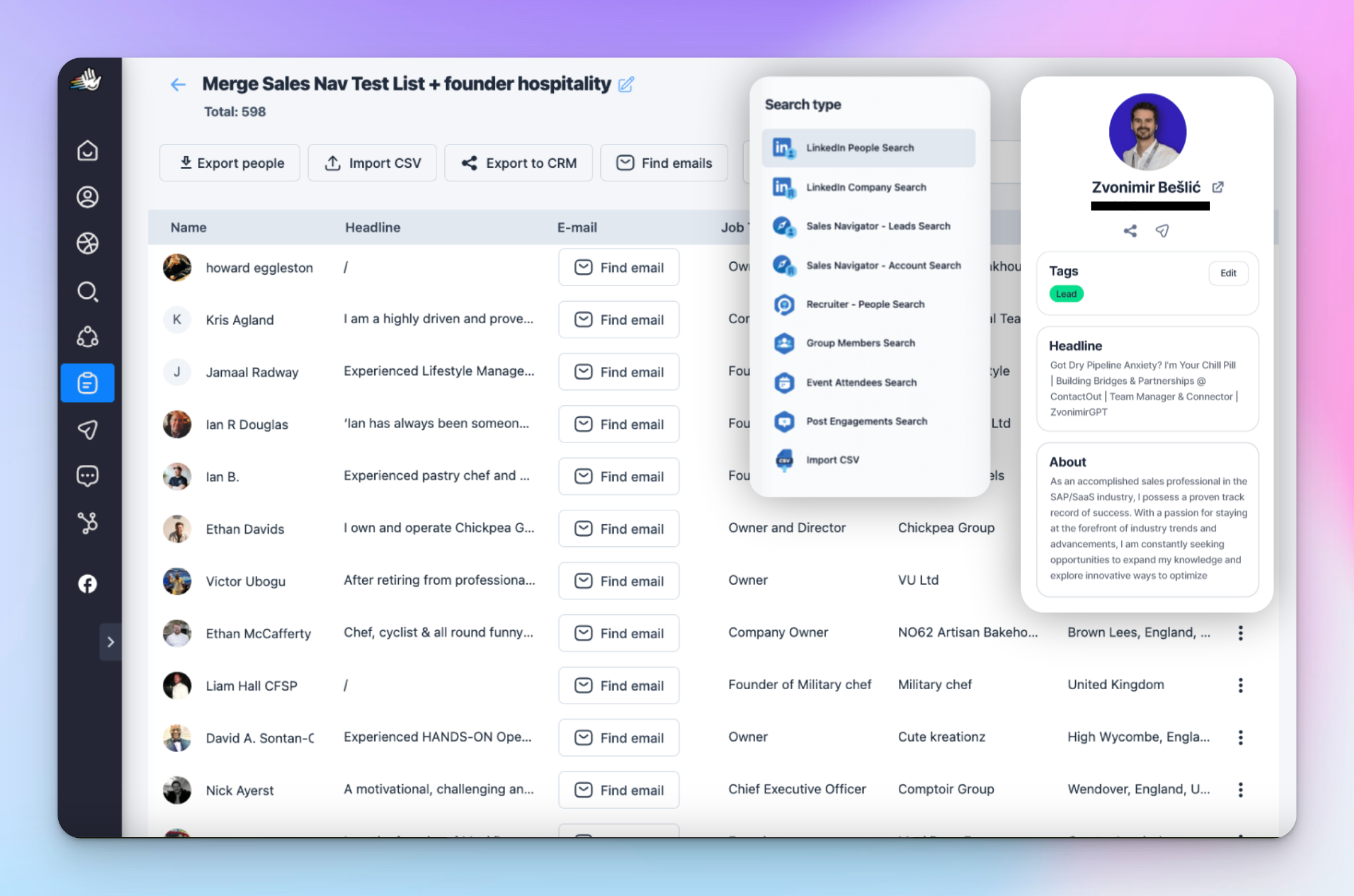
Unlike lemlist, which focuses on multichannel campaigns across email, LinkedIn, and WhatsApp, HeyReach specializes in high-volume LinkedIn outreach with AI-powered automation.
HeyReach’s advantages:
So, if you need AI-powered LinkedIn management with MCP and agency-level scaling, HeyReach gives you tools that lemlist can’t match.
lemlist is stronger for multichannel campaigns and email+LinkedIn personalization, but less optimized for large LinkedIn operations.
HeyReach is definitely one of the strongest contenders here, but you might also want to check out other lemlist competitors if you’re more focused on email marketing, as some of them include cold email tools as well:
Wrapping up this lemlist review, I can say that if you need a solid outreach tool with great features, you'll probably love it.
But if LinkedIn is your main focus, it might let you down — there’s no deep analytics and features like tracking likes and engagement on posts. That’s where HeyReach comes in, giving you way more insight and a more intuitive process overall.


